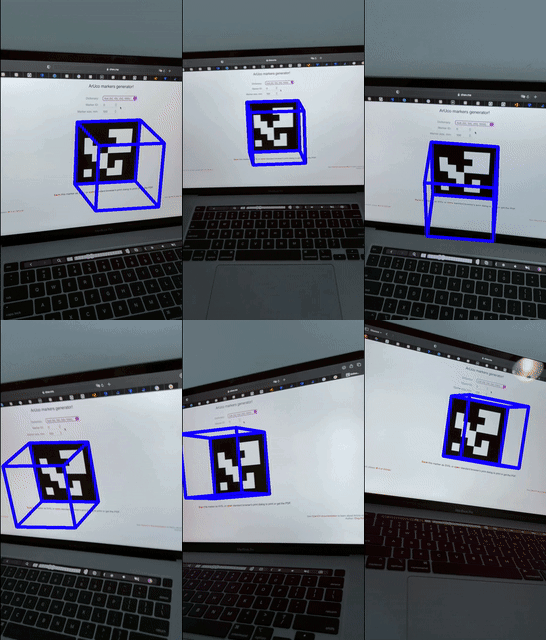
Calibrate the camera against an Aruco tag grid to obtain the intrinsics, estimate the camera pose relative to a tag, then project a 3D cube onto the 2D image plane.
Approach
Camera calibration
Before the cube could be augmented onto the 2D image plane, the camera intrinsics were needed. These came from photographing an Aruco board from multiple angles and running OpenCV’s calibration tools, which return the camera matrix K and the distortion coefficients.
Obtaining live camera pose
While the video runs, the pose of the camera relative to the image plane is computed using those intrinsics. The four corners of the Aruco tag define a plane in 3D space; that plane, together with the camera matrix, gives the 3D rotation and translation of the camera relative to it — its pose.
Projecting points
With the camera pose known, the tag’s corner points can be projected into 3D. Running the process in reverse, the pose and the object points are used to define four new object points — the remaining corners of the cube.
Drawing the cube
The projected points give the 2D image coordinates of the 3D cube. Drawing lines between them with OpenCV completes the cube.